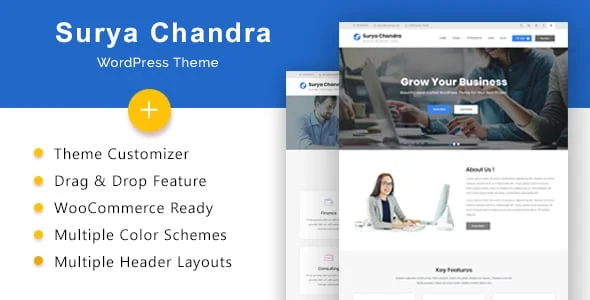
Surya Chandra Theme Overview
Surya Chandra is a flexible multipurpose theme suited to agencies, blogs, businesses, and portfolios, built on the SiteOrigin Page Builder with multiple widgets, color schemes, and font options for custom layouts. A general small or mid-sized business needing a professional corporate website is the kind of buyer this design is built around, and the theme sits in the mid-range of the category, priced in line with most actively-maintained multipurpose business themes.
Key Features of Surya Chandra
The marketplace listing calls out Business, corporate, agency WordPress theme, Drag & Drop SiteOrigin Page Builder, and One Click Demo Import as its headline selling points. Beyond that headline list, it is fully widget-ready, letting a site owner rearrange sidebar and footer content without touching a template file; it comes with well documented documentation, useful once a non-developer on staff needs to make a change after launch; the layout itself is responsive, built to hold up across desktop, tablet, and mobile; it is confirmed working against WordPress 5.5.x, WordPress 5.4.x, WordPress 5.3.x, a useful signal the author is keeping pace with current WordPress core releases.
On the marketplace itself it is tagged under blog, business, clean, corporate, modern, multi-purpose, a reasonable shorthand for where it sits relative to the rest of the category. Theme options run through the WordPress Customizer with a live preview, header layouts are configurable, and the colour schemes and font choices are set from the same panel. Contact Form 7 handles enquiry forms and FontAwesome supplies the icons. Documentation ships inside the download rather than on a vendor site, which is the only route the listing offers. At the time it was catalogued here it carried a 0-star rating across 1 review from marketplace buyers.
Who Surya Chandra Is Suitable For
A general small or mid-sized business needing a professional corporate website will get the most out of Surya Chandra’s specific combination of features described above. A business whose needs sit meaningfully outside that core use case may find a real share of the built-in functionality goes unused, which is worth weighing honestly against the more specialised alternatives elsewhere in this collection before committing budget and setup time to it. As with any third-party theme, the design shown here is the practical starting point rather than the finished product: AppiAppi installs it, then layers in the business’s own branding, service pages, contact details, and content before anything goes live, so the exact demo screenshots above should be read as a preview of structure and style rather than a literal preview of the final delivered site.
Important Notes About Surya Chandra
This design is wenthemes’s own Surya Chandra theme, licensed for use through AppiAppi rather than built in-house. What you see in the preview is the original demo — the site AppiAppi delivers to you replaces that demo content entirely with your own brand and information. One dependency is worth understanding first: page layouts are assembled in SiteOrigin Page Builder, a free plugin from a separate author, so it has to stay active for those pages to keep their structure. The declared compatibility range also stops at WordPress 5.5.x although the files were updated in September 2026, so the release date tells you more about this package than the declared range does.
Setup & Ongoing Management by AppiAppi
AppiAppi handles everything from the point you choose Surya Chandra: purchasing and installing the theme, customizing it with your branding and content, and configuring the live site. From there, ongoing support covers AI-assisted SEO and content updates, uploading your products or listings, managing routine updates, responding to inquiries or orders, and continued site management in line with your subscription plan.
Original design by wenthemes. This is the starting point — we customize it with your logo, colours, content, services and SEO structure. View original theme source