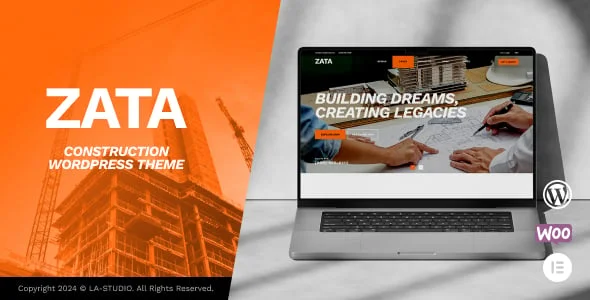
Zata Theme Overview
Zata, currently version 1.0.1, is a creative drag-and-drop construction theme kept current with WordPress 6.8.x, WooCommerce 9.8.x, and Elementor 3.28.x, with hundreds of creative elements to choose from. A construction, renovation, or architecture business is the kind of buyer this design is built around, and the theme sits in the mid-range of the category, priced in line with most actively-maintained multipurpose business themes.
Key Features of Zata
The marketplace listing calls out Construction & Building, Engineering, 04+ Installable Construction Demos, and Elementor Page Builder, Fast Loading & Easy as its headline selling points. Beyond that headline list, it integrates with Facebook, Easy Digital Downloads, Elementor, Elementor Pro, Events Calendar, so a business already standardised on one of those tools can adopt the theme without disrupting an existing workflow; it ships with high-resolution imagery support, so photography and hero banners hold up on large and retina displays; it is fully widget-ready, letting a site owner rearrange sidebar and footer content without touching a template file; it comes with well documented documentation, useful once a non-developer on staff needs to make a change after launch; the layout itself is responsive, built to hold up across desktop, tablet, and mobile; it is confirmed working against WordPress 6.7.x, WordPress 6.6.x, WordPress 6.5.x, a useful signal the author is keeping pace with current WordPress core releases.
On the marketplace itself it is tagged under architecture, building, company, construction, constructor, contractor, a reasonable shorthand for where it sits relative to the rest of the category. It is a newer catalogue entry from LA-Studio, so it doesn’t yet carry a meaningful volume of buyer reviews on the marketplace.
Who Zata Is Suitable For
A construction, renovation, or architecture business will get the most out of Zata’s specific combination of features described above. A business whose needs sit meaningfully outside that core use case may find a real share of the built-in functionality goes unused, which is worth weighing honestly against the more specialised alternatives elsewhere in this collection before committing budget and setup time to it. As with any third-party theme, the design shown here is the practical starting point rather than the finished product: AppiAppi installs it, then layers in the business’s own branding, service pages, contact details, and content before anything goes live, so the exact demo screenshots above should be read as a preview of structure and style rather than a literal preview of the final delivered site.
Important Notes About Zata
Zata was designed and built by LA-Studio; AppiAppi’s role is licensing, installing, and customizing it for your business, not creating the design itself. The screenshots reflect the vendor’s demo — your live site will look and read like your business, not the demo.
Setup & Ongoing Management by AppiAppi
When you pick Zata, AppiAppi purchases and installs the theme and then customizes every part of it — branding, content, imagery — to match your business before configuring the site. After that, AppiAppi continues to manage AI-assisted SEO and content, upload your products or listings, apply ongoing updates, handle customer inquiries or orders, and provide continued site management according to your plan.
Original design by LA-Studio. This is the starting point — we customize it with your logo, colours, content, services and SEO structure. View original theme source