

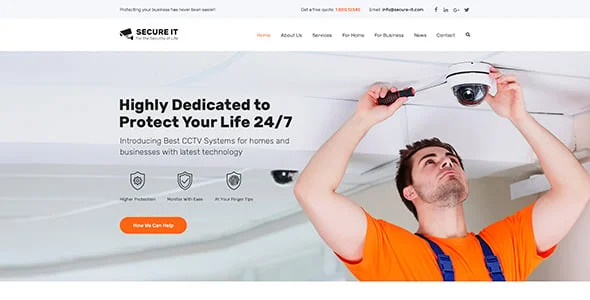
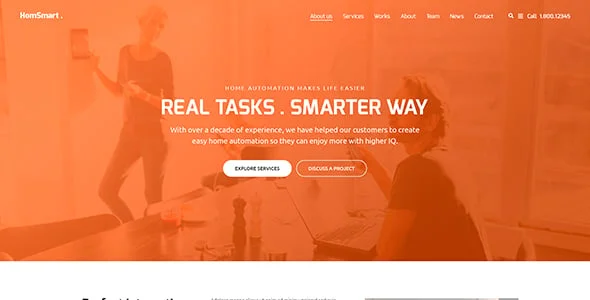
Safeguard Theme Overview
SafeGuard is built specifically for security and guard companies, home-security businesses, cyber-security agencies, and individual security contractors, with a header layout optimized to expose site navigation clearly and prominent contact options by phone or email. Three distinct individual service-page layouts are included, each with its own visual style, for a security business that offers multiple distinct service lines. A security, safety, or specialty-services business is the kind of buyer this design is built around, and the theme sits in the mid-range of the category, priced in line with most actively-maintained multipurpose business themes.
Key Features of Safeguard
The marketplace listing calls out CCTV Shop, Security Fire Alarms, and Elementor and WPBakery as its headline selling points. Beyond that headline list, it integrates with WPML, so a business already standardised on one of those tools can adopt the theme without disrupting an existing workflow; it is fully widget-ready, letting a site owner rearrange sidebar and footer content without touching a template file; it comes with well documented documentation, useful once a non-developer on staff needs to make a change after launch; the layout itself is responsive, built to hold up across desktop, tablet, and mobile; it is confirmed working against WordPress 6.9.x, WordPress 6.8.x, WordPress 6.7.x, a useful signal the author is keeping pace with current WordPress core releases.
On the marketplace itself it is tagged under bodyguard, cctv, fire alarms, guard, house safety, protection, a reasonable shorthand for where it sits relative to the rest of the category. At the time it was catalogued here it carried a 4.7-star rating across 53 reviews from marketplace buyers.
Who Safeguard Is Suitable For
A security, safety, or specialty-services business will get the most out of Safeguard’s specific combination of features described above. A business whose needs sit meaningfully outside that core use case may find a real share of the built-in functionality goes unused, which is worth weighing honestly against the more specialised alternatives elsewhere in this collection before committing budget and setup time to it. As with any third-party theme, the design shown here is the practical starting point rather than the finished product: AppiAppi installs it, then layers in the business’s own branding, service pages, contact details, and content before anything goes live, so the exact demo screenshots above should be read as a preview of structure and style rather than a literal preview of the final delivered site.
Important Notes About Safeguard
This is pixity-themes’s Safeguard theme, made available through AppiAppi under a standard commercial licence — AppiAppi isn’t the original designer. What’s pictured above is demo content; expect your finished site to reflect your own brand from day one.
Setup & Ongoing Management by AppiAppi
AppiAppi manages the full process once Safeguard is selected: buying and installing the theme, customizing it with your own branding and content, and setting up the live site. Ongoing, that includes AI-assisted SEO and content support, uploading your listings or products, keeping the site updated, managing inquiries or orders, and continued site management matched to your subscription plan.
Original design by pixity-themes. This is the starting point — we customize it with your logo, colours, content, services and SEO structure. View original theme source